Effective DVD backup for home users
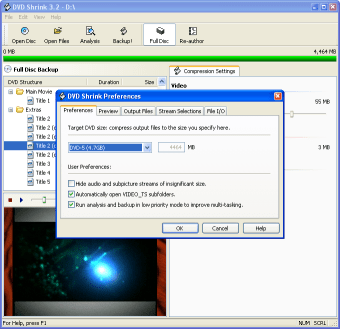
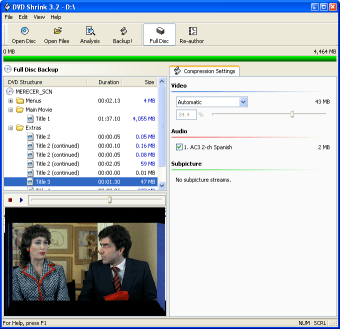
DVD Shrink serves as a reliable tool for backing up and compressing DVDs. It is designed to back up DVDs by reducing their file size while keeping as much of the original quality as possible. With this program, users can make a copy of their DVD, remove region codes, and fit larger dual-layer discs onto a standard single-layer writable DVD. The program also allows users to customize backup by removing extra content like foreign-language audio tracks or bonus features they don’t need, making it easier to create a compact, high-quality copy that fits perfectly on a regular disc.
Top Recommended Alternative

Designed for efficient backups
DVD Shrink is lightweight and easy to use as it comes as a single executable file that’s only around 1MB in size. Built into the program is a DeCSS decryption feature that allows it to open and back up many commercial DVDs. However, it may now work with some newer discs that use advanced copy protection methods.
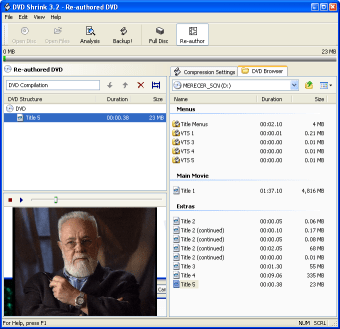
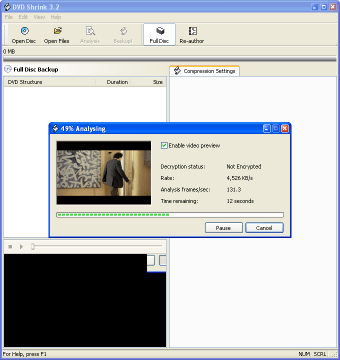
The simple interface, reminiscent of classic Windows applications, facilitates easy navigation, enabling even novice users to create backups without difficulty. Despite being discontinued, it remains compatible with various systems, providing support through community forums. It effectively assists in streamlining the backup process, making it a reliable solution for archiving personal collections.
Seamless integration with other tools
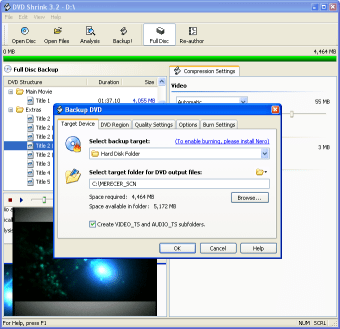
While DVD Shrink operates as a standalone tool, it lacks direct integrations with other software through plugins. However, many users incorporate it into broader workflows. A common process involves using DVD Decrypter to rip content, followed by compression with DVD Shrink, and finally burning the output files using tools like Nero Burning ROM. Supported formats include DVD-Video folders (VIDEO_TS) and ISO images, allowing for some flexibility in output options. It's worth noting that the software does not provide officially documented integrations, which may lead to varied user experiences depending on specific setups.
User experience and performance
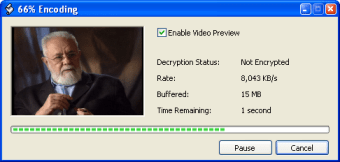
Despite its outdated development status, DVD Shrink delivers a functional solution for backing up DVDs, particularly on older Windows systems. On average, the compression speed ranges from about 30 minutes to several hours, depending on hardware capabilities. Users can typically expect a compression ratio that reduces a dual-layer DVD (8.5GB) to fit onto a single-layer DVD (4.7GB). While the program allows control for how much each video track is compressed, users cannot remove entire video sections to keep the DVD menus working properly. However, users are still able to remove unwanted audio tracks and subtitle options to save space. Compatibility issues with modern copy protections may frustrate users, particularly with damaged or newer discs, so these limitations should be kept in mind.
Focused and practical for home users
DVD Shrink remains a valuable tool for home users seeking to back up their DVD collections simply and effectively. While its limitations include inadequate support for Blu-ray discs and challenges with advanced copy protection, its capability to compress DVDs efficiently makes it worthwhile for archiving personal collections. Users should stay mindful of potential legal implications surrounding DVD ripping based on local copyright laws.